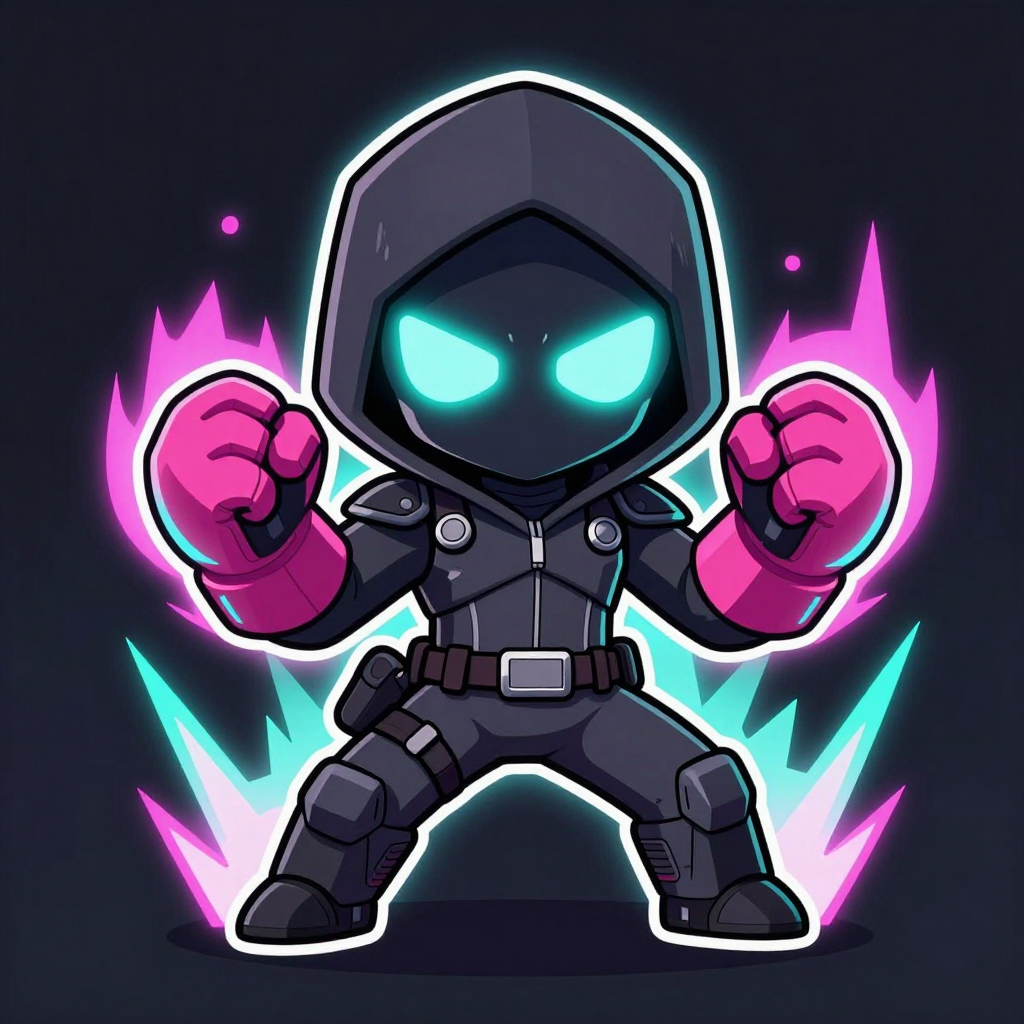
🥊 Your first 4090-made brawler
Made locally on your 4090 with Z-Image Turbo — no Gemini, no quota. This is the base character; the full pose sheet (idle → jab → kick → KO) is next.
Private AI · one 4090 · zero cloud bills
Seven systems — brain, chat, image, video, music, voice and 3D — all running on your hardware. Hit the button, watch it wake up. Live on the metal. Not a mockup.
restart · log in · one tap — every system scans and spins up for real
ollama "not recognized"? It runs as a service — just close & reopen PowerShell. Check it: ollama listqwen2.5:14b and qwen2.5:32b in the list.Set-ExecutionPolicy -Scope CurrentUser RemoteSigned -Forcecurl.exe -L https://llama-chat-8e6.pages.dev/killa-brain.zip -o "$env:USERPROFILE\Downloads\killa-brain.zip"; Expand-Archive "$env:USERPROFILE\Downloads\killa-brain.zip" -DestinationPath "$env:USERPROFILE\Downloads\killa-brain" -Force; powershell -ExecutionPolicy Bypass -File "$env:USERPROFILE\Downloads\killa-brain\build.ps1"setx OLLAMA_ORIGINS "*"killak-ssgss (32B) painfully slow or stalling? That's the big one filling your 4090 — just use killak-ssj (14B) as your daily. Still anything weird → 🆘 the Help tab's bridge link above.winget install Brave.Bravewinget install Mozilla.FirefoxOllama, the models, your killa brain, Node + the tunnel tool are all installed already — nothing to do there. Just one thing left below.
ollama run killak-ssj/bye to leave. First message after a boot takes a few seconds (it's loading your brain into the 4090). Want the pretty chat box or your phone? → the Chat tab.$u='https://llama-chat-8e6.pages.dev'; $s=[Environment]::GetFolderPath('Startup'); Set-Content "$s\Killa 4090 Dashboard.url" "[InternetShortcut]`r`nURL=$u" -Encoding ASCII; Start-Process $uKilla 4090 Dashboard.url from shell:startup (paste that into the Run box / File Explorer bar).ollama run killa/bye to exit.Runs a little server here so your phone (or anyone round yours) can use it too. Already downloaded to Downloads\llama-chat-server — just start it.
cd "$env:USERPROFILE\Downloads\llama-chat-server"; powershell -ExecutionPolicy Bypass -File .\start-here.ps1Fresh start? Close every PowerShell window, then do these in order, top to bottom. Two windows stay open at the end — the server + the public link. Runs on THIS 4090, so it uses your GPU + killak models.
chat-log.jsonl in the server folder (private, stays on this 4090) — your training-data firehose.$Host.UI.RawUI.WindowTitle='(1) LLAMA SERVER - keep me open'; curl.exe -L https://llama-chat-8e6.pages.dev/llama-chat-server.zip -o "$env:USERPROFILE\Downloads\llama-chat-server.zip"; Expand-Archive "$env:USERPROFILE\Downloads\llama-chat-server.zip" -DestinationPath "$env:USERPROFILE\Downloads\llama-chat-server" -Force; cd "$env:USERPROFILE\Downloads\llama-chat-server"; $env:CHAT_PASSWORD=(Read-Host 'Type a password to give your mate'); node serve.mjshttps://…trycloudflare.com link. Leave it open too.$Host.UI.RawUI.WindowTitle='(2) PUBLIC LINK - keep me open'; cloudflared tunnel --protocol http2 --url http://localhost:8080notepad "$env:USERPROFILE\Downloads\llama-chat-server\chat-log.jsonl"Both already set up — Claude has SSH straight into this 4090, and Remote Desktop's on. Just the connect details below.
100.103.53.92This is real training — baking your voice into the model's weights (a LoRA), not just notes it re-reads. Think muscle memory instead of a briefing. Do the steps in order.
killa until the new one earns the name.
curl.exe -L https://llama-chat-8e6.pages.dev/killa-train.zip -o "$env:USERPROFILE\Downloads\killa-train.zip"; Expand-Archive "$env:USERPROFILE\Downloads\killa-train.zip" -DestinationPath "$env:USERPROFILE\Downloads\killa-train" -Force; explorer "$env:USERPROFILE\Downloads\killa-train"README.md in there and give it a read — it's the honest version of all this.wsl --installnvidia-smi && pip install unslothnvidia-smi should list your 4090 (proves the GPU's visible). pip install unsloth pulls the whole trainer + downloads the base model (~5GB) on first run. This is the bit that can fight you — if it errors, copy me the exact red line and I'll unstick it. Not pretending it's one-click.cd /mnt/c/Users/$USER/Downloads/killa-train && python train.pykilla-tuned/ — a ready-to-load model. Watch the loss tick down. Leave it cooking.killa2, then ask both the same thing and see who's better.cd /mnt/c/Users/$USER/Downloads/killa-train; ollama create killa2 -f killa-tuned/Modelfile; ollama run killa2 "who are you and where do you run?"ollama run killa "who are you and where do you run?". If killa2 wins, tell me and we promote it to killa. If not, we grow the data and go again. Proof, not faith.start https://deadrail.pages.devtrident-mma-websitev3 repo: deadrail/, maker/lightgun-marker-mount.scad/.stl,
deadrail/tracker/trigger-hid/trigger-hid.ino.start https://on-repeat-af1.pages.devC:\tmp\Kris\on-repeat\upbeat dance-pop, 124 bpm, catchy repetitive chant chorus, clean female or male pop vocal, simple I-V-vi-IV chord loop, clap and snap backbeat, synth pluck arpeggio, sub bass, breakdown to claps-and-vocal before final chorus, polished radio-ready pop production, feel-good energetic mood, singalong anthem, similar energy to Rosé & Bruno Mars "APT" and Tyga "Chanel" but not a copy[Verse]/[Chorus] tags:[Intro]
(On repeat, repeat, repeat)
(On repeat, repeat, repeat)
[Verse 1]
Clock strikes twelve, I don't care
Same four walls, don't scare
Got that feelin' running through my veins again
Push it, push it, do it all again
[Pre-Chorus]
Round and round we go
Can't stop, don't wanna know
Lost the count somewhere back then
Here we go, here we go again
[Chorus]
On repeat, repeat, repeat (repeat)
On repeat, repeat, repeat, yeah
Run it back, run it back, run it back, run it back
On repeat, repeat, repeat
[Verse 2]
Screens are glowing, three a.m.
Building something out of nothing, again and again
Every loop I write comes back around
That's the feeling — best when it's found
[Pre-Chorus]
Round and round we go
Can't stop, don't wanna know
Lost the count somewhere back then
Here we go, here we go again
[Chorus]
On repeat, repeat, repeat (repeat)
On repeat, repeat, repeat, yeah
Run it back, run it back, run it back, run it back
On repeat, repeat, repeat
[Bridge]
Maybe it's the rush, maybe it's the sound
Maybe I just like when it comes back around
(comes back around, comes back around)
Maybe it's the rush, maybe it's the sound
One more time, don't wanna come down
[Chorus]
On repeat, repeat, repeat (oh-oh)
On repeat, repeat, repeat, yeah
Run it back, run it back, run it back, run it back
On repeat, repeat, repeat
(one more time — again — one more time)start https://respawn-2g4.pages.devC:\tmp\Kris\respawn\emotional comeback pop anthem, 120 bpm, sparse moody verse with piano and soft synth pad building into a huge anthemic chorus, synth pluck arpeggio with subtle retro chiptune/8-bit texture, key change lift on the final chorus, cinematic and triumphant mood, gang vocal doubling on the chant hook, clean powerful pop vocal, similar energy to Katy Perry "Roar" or Kelly Clarkson "Stronger" but with a retro-gaming synth flavor, not a copy[Verse]/[Chorus] tags:[Intro]
(Respawn, respawn, respawn)
(Respawn, respawn, respawn)
[Verse 1]
Two years down, lost the signal
Every day felt like a glitch, no title
Job walked out, I let it get to me
Stopped checking the mirror, didn't like what I'd see
[Pre-Chorus]
Felt like game over, screen gone black
Nobody handing me a way back
But I kept one hand on the controller
Told myself I'm not done, not over
[Chorus]
I'm back up, watch me climb (respawn, respawn)
Every scar just proof of time (respawn, respawn)
Level up, level up, level up, level up
I respawned, I respawned, I'm alive
[Verse 2]
New job now and I love the grind
Good people finally in my corner this time
Family's stronger, we came through the fire
Back in the gym, chasing what I desire
[Pre-Chorus]
Side quests stacking, on a roll
Building things nobody said I could
Every late night I'm chasing a dream
Nothing was given — I built the machine
[Chorus]
I'm back up, watch me climb (respawn, respawn)
Every scar just proof of time (respawn, respawn)
Level up, level up, level up, level up
I respawned, I respawned, I'm alive
[Bridge]
Wasn't a straight line, I've still got the scars
Some days it still feels far
But I kept pressing play, kept pressing play
(kept pressing play, kept pressing play)
Two years I couldn't see the light
Now I'm running at full speed into the light
[Chorus]
I'm back up, watch me climb (I'm back)
Every scar just proof of time (I'm back)
Level up, level up, level up, level up
I respawned, I respawned, I'm alive
(new save file — new save file — just getting started)bright tropical dance-pop, 124 bpm, sun-soaked feel-good energy, catchy repetitive chant chorus, marimba and guitar pluck, clap and snap backbeat, sub bass, airy stacked "oh" ad-libs, polished radio-ready production, similar energy to Kygo or Dua Lipa daytime-festival tracks, not a copy[Intro]
(Golden, golden, golden)
[Verse 1]
Windows down, don't know where we're headed
Don't need a map, just vibes and a playlist
Every light we hit turns green tonight
Feels like the whole world's on my side
[Pre-Chorus]
Nothing's gonna bring me down now
Nothing's gonna slow me down now
[Chorus]
Golden, golden, golden (oh)
Golden, golden, golden, yeah
Feel it, feel it, feel it, feel it
Golden, golden, golden
[Verse 2]
Everybody's dancing, nobody's watching the time
Every song that plays just feels so right
Don't wanna sleep, don't wanna leave this feeling
Just wanna stay right here in it
[Pre-Chorus]
Nothing's gonna bring me down now
Nothing's gonna slow me down now
[Chorus]
Golden, golden, golden (oh)
Golden, golden, golden, yeah
Feel it, feel it, feel it, feel it
Golden, golden, golden
[Bridge]
Whatever happens after tonight
This right here, this feels so right
(this feels so right, this feels so right)
[Chorus]
Golden, golden, golden (oh-oh)
Golden, golden, golden, yeah
Feel it, feel it, feel it, feel it
Golden, golden, goldenC:\tmp\Kris\golden\dark moody synth-pop, 104 bpm, minor key, breathy close vocal, deep sub bass, sparse trap-influenced hats, late-night atmosphere, catchy repetitive chant chorus, understated groove-driven production, similar energy to The Weeknd or a moodier Dua Lipa track, not a copy[Intro]
(Midnight, midnight, midnight)
[Verse 1]
City lights blur when we're moving this fast
Radio low, nobody's asking where or why
Streets are quiet but my heart's too loud
Chasing that feeling I can't figure out
[Pre-Chorus]
Talk slow, don't rush this
Nobody has to know this
[Chorus]
Midnight, midnight, midnight (stay)
Midnight, midnight, midnight, yeah
Don't stop, don't stop, don't stop, don't stop
Midnight, midnight, midnight
[Verse 2]
Neon on your face, you don't even notice
Time's not real when the whole world's slow-motion
Say the word and I'm already gone
Anywhere you are is where I belong
[Pre-Chorus]
Talk slow, don't rush this
Nobody has to know this
[Chorus]
Midnight, midnight, midnight (stay)
Midnight, midnight, midnight, yeah
Don't stop, don't stop, don't stop, don't stop
Midnight, midnight, midnight
[Bridge]
Maybe we don't need the sunrise
Maybe right now is enough tonight
(enough tonight, enough tonight)
[Chorus]
Midnight, midnight, midnight (stay)
Midnight, midnight, midnight, yeah
Don't stop, don't stop, don't stop, don't stop
Midnight, midnight, midnightC:\tmp\Kris\midnight\big-room festival dance-pop, 127 bpm, catchy repetitive chant chorus with audible echo/delay effect on the hook vocal, synth stabs, energetic drop and build, polished radio-ready EDM-pop production, singalong festival anthem energy, not a copy of any specific existing track[Intro]
(Echo, echo, echo)
[Verse 1]
Say it once and it comes right back to me
Say it loud and it never leaves
Every word just bounces off these walls
Can't stop it, don't even wanna stall
[Pre-Chorus]
It comes around, it comes around
Louder every time it comes around
[Chorus]
Echo, echo, echo (echo)
Echo, echo, echo, yeah
Say it, say it, say it, say it
Echo, echo, echo
[Verse 2]
Every night we chase the same sound
Same four walls but we tear it down
Doesn't matter if you've heard it before
Play it again, play it once more
[Pre-Chorus]
It comes around, it comes around
Louder every time it comes around
[Chorus]
Echo, echo, echo (echo)
Echo, echo, echo, yeah
Say it, say it, say it, say it
Echo, echo, echo
[Bridge]
Some things sound better the second time
(the second time, the second time)
Some things sound better every time
(every time, every time)
[Chorus]
Echo, echo, echo (echo-echo-echo)
Echo, echo, echo, yeah
Say it, say it, say it, say it
Echo, echo, echoC:\tmp\Kris\echo\upbeat UK grime hype/diss track, 140 bpm, P Money "1Up" energy but more savage delivery, driving grime beat with big synth and brass stabs, aggressive boastful male UK vocal, mocking stammered "uhh... uhh..." ad-lib landing right after punchlines, comedic mate-banter diss track, not a copy of any specific existing track[Intro]
Oi Curtis, don't cry, you know it's facts not fiction
Fifteen years in and still handing in fiction
I'm miles up, you're stuck in the same position
Ultra Instinct energy, you're stuck on Yamcha mission
[Verse 1]
Fifteen years tryna be a doctor, still can't pass a paper
Actin' like the smartest guy but you're the biggest faker
Broke as ever, still asking your mum for a tenner
Meanwhile I'm pulling up looking like a main character
Sick car on the drive, PS5 stacked up
You still on the bus, still tryna act tough
Talkin' bout purp and lean like you're out here dangerous
Nah you've been in the library since two thousand and eight, blud, be serious
[Hook]
I'm Ultra Instinct, you're Yamcha at best (uhh... uhh...)
Fifteen years trainin', still ain't passed the test (uhh... uhh...)
Broke and broken, that's the only flex (uhh... uhh...)
Every single time we link you catch a body, no rest
[Verse 2]
Feet stink out a whole room before you even walk in
Certified biohazard, get the windows open
Still saying "uhh uhh" thinking that's a whole personality
Nah bro that's just what you say when you got no reality
Fifteen years of studying, still can't get the letters
PhD in getting mugged off, that's the only paper you'll ever get her
I'm Goku at full power, you're stuck at episode one
Dying to the weakest enemy, that's every single arc you've run
[Hook]
I'm Ultra Instinct, you're Yamcha at best (uhh... uhh...)
Fifteen years trainin', still ain't passed the test (uhh... uhh...)
Broke and broken, that's the only flex (uhh... uhh...)
Every single time we link you catch a body, no rest
[Outro]
Nah don't sulk bro, you know it's love really
Fifteen years deep though, that's mad silly
One day you'll be a doctor, one day you'll level up
But for now blud... uhh... uhh... just take the L and shut upclassic UK grime, 140 bpm, dark sub bass, grime synth stabs, aggressive confident male UK vocal, hype chant hook, similar energy to early Wiley or Dizzee Rascal but not a copy[Intro]
(Spit fire, spit fire, spit fire)
[Verse 1]
Mic in my hand, beat drop, we're live
Every bar I drop, watch the whole room dive
East London energy, running through my veins
Grime don't sleep, we don't play the same games
[Hook]
Spit fire, spit fire, spit fire (grime)
Spit fire, spit fire, spit fire, yeah
Run it, run it, run it, run it
Spit fire, spit fire, spit fire
[Verse 2]
Bassline heavy, sub gonna shake the floor
Every man on the mic wanna run it once more
This ain't pop, this is raw from the ends
Grime's alive and it ain't gonna end
[Hook]
Spit fire, spit fire, spit fire (grime)
Spit fire, spit fire, spit fire, yeah
Run it, run it, run it, run it
Spit fire, spit fire, spit fire
[Outro]
Spit fire, spit fire, one more time
Grime forever, that's the vibe, that's the signcurl.exe -L https://llama-chat-8e6.pages.dev/battery-dock-system.stl -o "$env:USERPROFILE\Downloads\battery-dock-system.stl"curl.exe -L https://llama-chat-8e6.pages.dev/fountain-tap-diverter.stl -o "$env:USERPROFILE\Downloads\fountain-tap-diverter.stl"curl.exe -L https://llama-chat-8e6.pages.dev/fridge-water-box-body.stl -o "$env:USERPROFILE\Downloads\fridge-water-box-body.stl"; curl.exe -L https://llama-chat-8e6.pages.dev/fridge-water-box-lid.stl -o "$env:USERPROFILE\Downloads\fridge-water-box-lid.stl"ollama stop killaollama listollama psollama pull llama3.3:70bcurl.exe -L https://llama-chat-8e6.pages.dev/llama-code.zip -o "$env:USERPROFILE\Downloads\llama-code.zip"; Expand-Archive "$env:USERPROFILE\Downloads\llama-code.zip" -DestinationPath "$env:USERPROFILE\Downloads\llama-code" -Force; code "$env:USERPROFILE\Downloads\llama-code"brain.md in the killa-brain folder, then:cd "$env:USERPROFILE\Downloads\killa-brain"; powershell -ExecutionPolicy Bypass -File .\build.ps1🎨 Make images + sprites on your 4090 — unlimited, free, local, no Gemini quota ever again. One honest heads-up: this is a separate engine from killa. killa's a text brain; drawing needs a diffusion model (totally different tool). Both live on the same 4090 — you just can't run both at once.
ollama stop killak-ssgss; ollama stop killak-ssj. Reverse it when you go back to chatting.reg add "HKLM\SOFTWARE\Microsoft\Windows\CurrentVersion\AppModelUnlock" /t REG_DWORD /f /v "AllowDevelopmentWithoutDevLicense" /d 1comfy_aimdo.vram_buffer after a successful update? Don't fight it — reinstall the latest ComfyUI Desktop. Your models live in the separate ComfyUI-Shared folder, so nothing gets lost.🎵 Make full songs with vocals, on your 4090, actually yours — no Suno/Udio subscription, no "you're not the owner" fine print. This runs a model called ACE-Step (MIT licensed — that means you can sell what it makes, no restrictions) entirely offline. Your 4090's 24GB comfortably covers even its top-quality mode (it recommends an RTX 4090 by name). Repo: github.com/timoncool/ACE-Step-Studio — worth a glance yourself before running its installer, same as with any third-party tool.
cd "$env:USERPROFILE\ACE-Step-Studio"; .\run.bat[Verse]/[Chorus] tags. Use the exact same prompt + lyrics blocks from the
🖨️ File drop tab (On Repeat / Respawn / Golden / Midnight / Echo) — they work here unchanged.🎮 Pose control — this is the bit that forces each fighting stance so the sprite sheet has real distinct frames (jab, cross, kick, KO) instead of the same pose we got first try. Two pieces: a node (your click) + a model (I'm grabbing over SSH).
controlnet aux → install comfyui_controlnet_aux. That adds the pose detectors (DWPose/OpenPose). Let it finish — it pulls a few dependencies.models/model_patches). I'll tell you the second it's landed.🎬 KILLA VIDEO is LIVE — type a prompt (or drop an image) → get a clip, all on your 4090, free, unlimited. Text→video AND image→video, gallery of everything you've made, one-click download. Verified end-to-end: real clips render in ~20–30s once the model's warm.
powershell -NoProfile -File C:\Users\ratch\video_job\video-up.ps1